How to start
In My Bar you take over an empty venue and turn it into a music bar guests want to come back to. It is a venue-management simulation: you build, decorate, hire people and decide on prices and stock. The game is rated 16+ and rests on responsible service: you never serve alcohol to drunk or underage guests, and a full non-alcoholic offer is a normal part of a good bar.
A new game starts at 4 pm on day one, so you have a few hours to get set up before opening. The easiest way to learn is the first campaign scenario, Cellar with Potential, which comes with a tutorial.
Controls on a computer
- Space pauses, and keys 1–4 set the speed (1×, 2×, 4×, 8×).
- The mouse wheel zooms, the left button pans the view and the right button rotates the camera (or use Q and E).
- R rotates an object, T changes its version, Delete removes the selected object, and Ctrl + Z and Ctrl + Y undo and redo.
Controls on a phone
- One finger pans the view, two fingers zoom and rotate the camera.
- You build a zone with two taps: the first sets corner A, the second corner B. Holding a finger for over a second builds at once.
- The round ⟳ button above the build bar rotates objects, and the button with three bars in the corner opens the pause menu.
The first minutes: a good order
- Build the main room and the bar: a Main room zone, a Bar zone and at least two counter modules in the bar.
- Add tables with chairs, toilets with a door and, if you like, a stage or a dance floor.
- Hire a bartender in the Crew panel. Without one nobody serves the counter.
- Set the drinks menu: switch on beer, soft drinks and snacks, and check the prices.
- Order stock in the Stock panel.
- When everything stands, switch the Closed button in the top bar to Open.
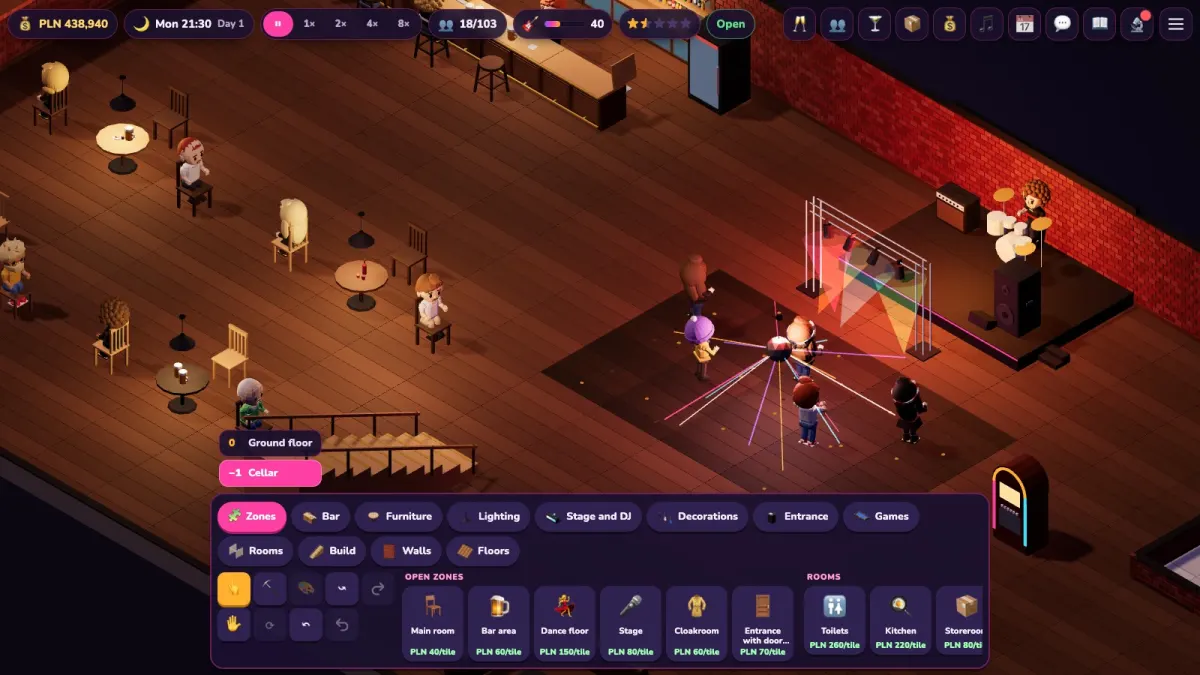
A red dot on a panel button means something needs attention: no bartender, stock running low or no soft drinks. The top bar also shows cash, day and time, game speed, guests against capacity, the venue vibe and your rating in stars.
Key mechanics
Building and zones
The build bar at the bottom has the tabs Zones, Bar, Furniture, Lighting, Stage and DJ, Decorations, Entrance, Games, Rooms, Build, Walls and Floors. You draw a zone as a rectangle on the floor. Closed rooms (toilets, kitchen, storeroom, office, staff room) need a door. Every zone has a minimum size and required equipment: a bar needs at least two counter modules, a stage needs a stage or a DJ booth. Select a zone and the inspector card shows what is missing. Demolishing refunds half the price, and you can undo changes.
Cellar, ground floor and two levels
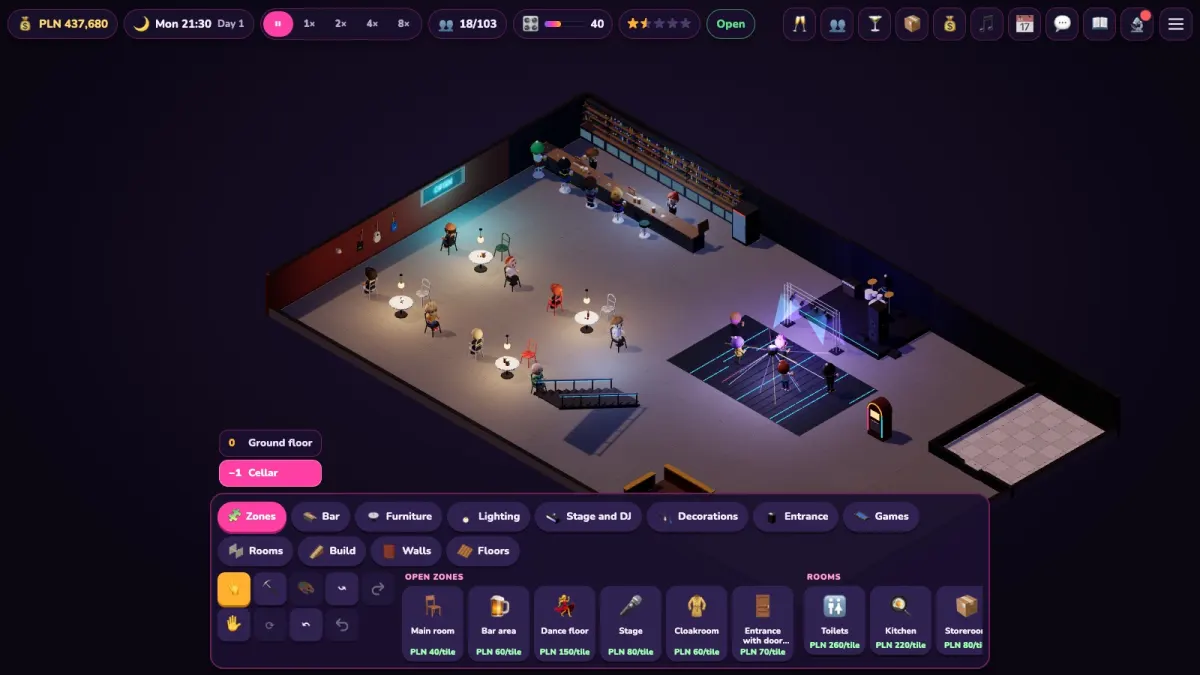
You pick the venue when you start a new game. The cellar has a club feel, lower rent and loud music until late, but it needs ventilation and the number of guests is limited by the number of emergency exits. The ground floor with a garden has a shop window, daylight and passers-by, but higher rent and neighbours who may complain about noise. Two levels means a pub upstairs and a disco in the cellar: two sources of income, but double the staff. The level switch above the build bar shows the cellar or the ground floor.
Music styles and vibe
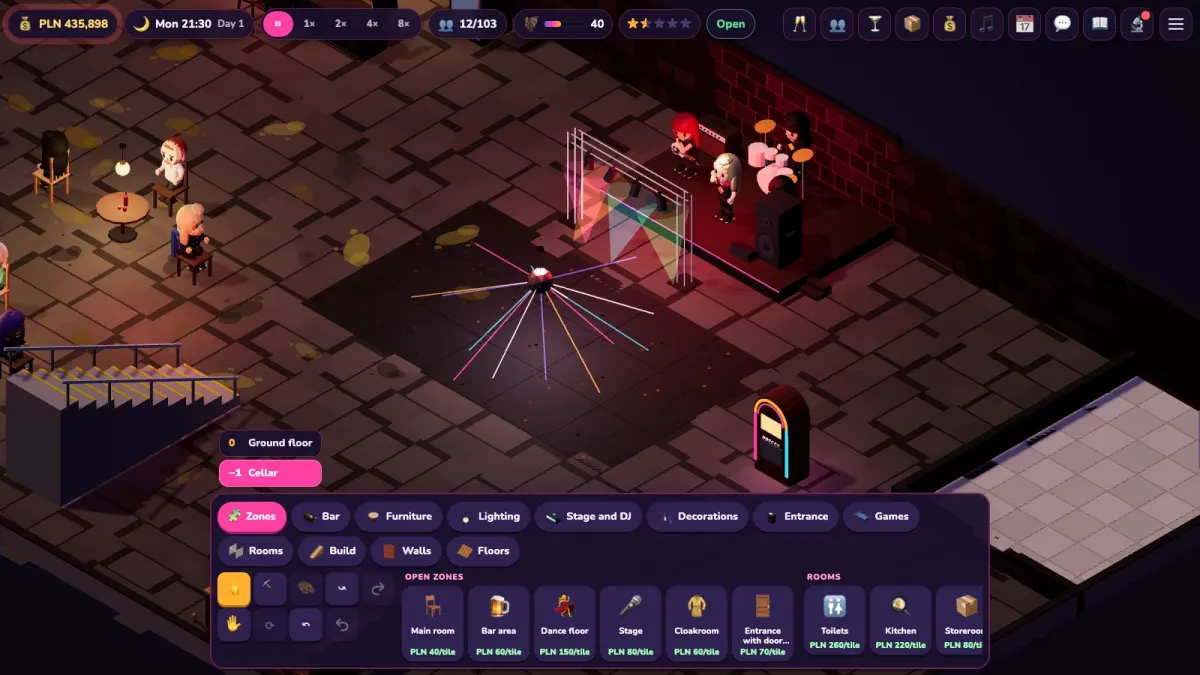
Style is the heart of the game: it decides the guests, the interior, the drinks and the music. You can choose rock, metal / goth, pop / dance, hip-hop, jazz / blues, electronic / techno and disco polo / folk party. The venue vibe (0–100) says how well the interior, music and crew fit the style. The higher it is, the more guests, the better the tips and the better the reviews. The Style and vibe panel breaks it down into decorations, wall colours and floor, the bar version, lights, a DJ on the crew and the overall charm. Next to a weak factor the panel suggests what to improve. Changing style is a renovation: it costs money and time, and some regulars may take offence and leave, so do it rarely.
Guests and regulars
Every guest has needs: a drink, food, the toilet, fun and an overall mood. If they wait long or have nowhere to sit, their mood drops, and your rating with it. Click a guest and the inspector card shows needs, order, favourite music style and a short opinion about what they are missing. Regulars have a name, a favourite drink and a star on the card. Happy ones come more often and tip more, offended ones leave.
Drinks menu and prices
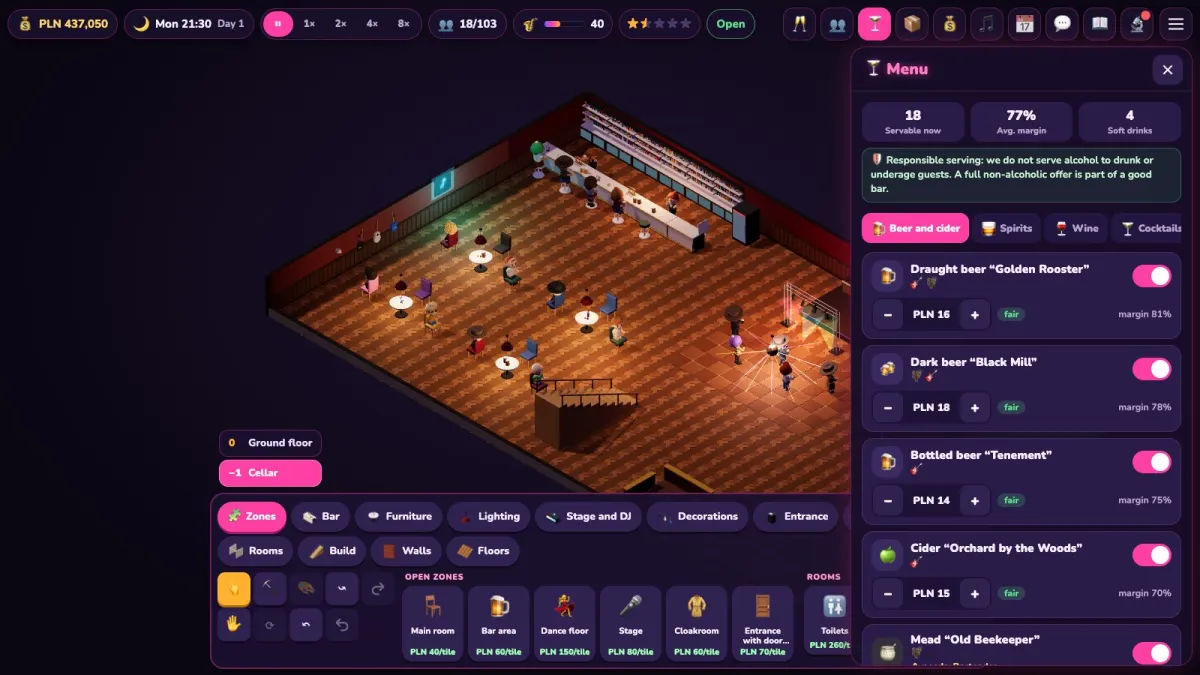
In the Menu panel you switch each item on or off and set its price in steps of PLN 1. Next to it you see the margin and a rating against the market: cheap, fair or dear. Dear drinks scare guests off, cheap ones ruin the margin. Tabs split the offer into beer and cider, spirits, wine, cocktails, soft drinks, coffee, snacks, kitchen and happy hours. If an item cannot be served, the warning under its name says why: missing equipment, missing stock, a bartender of the right level or a cook. Always keep soft drinks on the menu.
Crew
The Crew panel has the tabs Team and Candidates. Hiring costs a recruitment fee, and the daily wage is charged every night. Staff get tired: the energy bar drops, and rest in the staff room restores it. Besides the bartender you can hire a DJ, a bouncer, a manager, a waiter, a cook and a cleaner. A bartender develops in four steps: trainee, bartender, senior bartender, mixologist. You buy a promotion with training, and menu items that need a higher level show a lock.
Stock and deliveries
Goods are counted in servings and ordered in wholesale packs. Morning delivery arrives the next day at 10:00 at the normal price, while express arrives within two hours for a surcharge. The On the way tab shows what is heading to the venue. An empty counter is the shortest road to a bad rating.
Tips for intermediate players
- Look at margin, not just price. Start from market prices (the button that resets them) and raise them gradually, watching whether guests keep ordering.
- Mind the weather and the garden. On the ground floor the garden is open from spring to autumn. Tomorrow's forecast is in the day summary, so you can stock up for the weather. From 22:00 quiet hours apply: garden guests move inside, so keep some chairs free in the hall.
Tips for advanced players
- Venue upgrades (Build, then Venue upgrades) matter. In the cellar a ventilation grille is mandatory: without it the fire brigade lowers the occupancy limit. Each emergency exit door raises capacity by 8 people (up to four exits). Acoustic panels reduce neighbour complaints, and a goods lift speeds up service at the bar.
- Door policy is set in the Crew panel, Entrance tab: level 0 lets everyone in, 1 checks ID and sobriety, 2 adds the style's dress code, 3 is an exclusive list. The stricter it is, the fewer guests and the longer the queue, but the better the vibe and the fewer fights.
- Trouble risk depends on many factors: door policy, happy hours and cheap alcohol, the hour, light, music and security. A fight is shown mildly, as a cloud of dust with stars, and its results are damage, reviews and fines. A bouncer can stand at the door or on the floor. Cameras, a gate with a detector and a robot bouncer from the technology tree help.
- Concerts need a stage, speakers, a dressing room and lights. You pick a fictional band or a star DJ, pay a deposit, can buy promotion, and on the day there is a sound check. Tickets are sold by a ticket seller at the booth, so you also need a working door.
Campaign and modes
The campaign has eight scenarios. Each one unlocks the next once you earn a star, and each can give up to three stars. The first star is meeting all the goals, the other two are bonus goals. Beyond the campaign there is a free mode with a New game window where you choose the venue, style and difficulty: Easy, Normal, Hard or Custom. In Custom you set brawls, rent and competition separately.
- Cellar with Potential (21 days, PLN 45,000, with a tutorial). Goals: a bar of 3 modules, 1 bartender, 6 seats and 60 orders served. Stars: PLN 5,000 profit and vibe of at least 55.
- My Style (28 days, PLN 30,000). You choose the music style. Goals: a DJ playing the venue's style, vibe 50 and 100 happy guests. Stars: vibe 65 and 250 happy guests.
- Friday Night (21 days, PLN 30,000). Goals: a security desk with a bouncer and one night with a full room and no fight. Stars: three such nights and a rating of at least 3 stars.
- Behind the Bar Like an Artist (28 days, PLN 40,000, ground floor, jazz). Goals: a mixologist, 6 cocktails on the menu (alcohol-free ones count) and 150 orders. Stars: a signature cocktail and PLN 8,000 profit.
- The Concert (35 days, PLN 60,000). Goals: a working stage, one concert and a sold-out room. Stars: two sold-out concerts and 250 tickets sold.
- The Golden Ball (42 days, PLN 60,000). A rival club lures your guests with promotions, gossip and poaching of staff. Goals: 55% share of the area's guests and 8 regulars. Stars: fend off one poaching attempt and a rating of 3.5 stars.
- Pub Upstairs, Club Downstairs (49 days, PLN 110,000). Goals: the pub on the ground floor and the club with a DJ in the cellar working together, two music styles at once and 200 happy guests. Stars: vibe 60 and a beer garden on the ground floor.
- The Bar of the Future (70 days, PLN 260,000). Goals: 6 technologies researched and buying out The Golden Ball. Stars: a glass-collecting robot and a cyborg behind the bar.
Common mistakes
- Opening without a bartender or stock. A venue that opens with no service or an empty counter only hurts your rating. Check the red dots on the buttons.
- No soft drinks. It is a gap in your offer: some guests and drivers order only those.
- A crowd without back-up. A full venue is a good sign, but without a second bar station, a second toilet and more seats the queues grow and the mood drops. Capacity is also capped by the number of emergency exits.
- Living in the red. Rent, wages and upkeep are charged every night even when cash is below zero. If the venue stays in the red for too many days in a row, the bailiff takes it over and the game ends.
FAQ
Is My Bar free to play?
Yes, the game is free and runs in the browser, on a computer and on a phone. The game saves by itself from time to time and at the end of each day.
Which campaign scenario should I start with?
The first one, Cellar with Potential. It has a tutorial, an empty venue and simple goals: a bar of three modules, a bartender, six seats and 60 orders served. Later scenarios unlock once you earn a star.
What do I do when cash runs short?
First check the Finance panel: it adds up fixed costs in advance and warns you when money may run out. You can raise prices, cut wages, take a loan or watch a reward ad from a sponsor (once a day). Do not leave debt for many days: the bailiff then takes the venue.
Why do guests leave without ordering?
Click a guest and read the inspector card: it shows needs, order and a short opinion about what they are missing. Most often it is a lack of seats, a long queue, an empty menu or a music style that does not match their favourite.
Does the game encourage drinking alcohol?
No. It is a venue-management simulation built on responsible service: security checks IDs, and the bartender does not serve drunk or underage guests. A full non-alcoholic offer is part of the game, and effects are shown mildly: cheerfulness, sleepiness, a taxi home.
How do I deal with the rival club The Golden Ball?
Answer with vibe, quality, concerts and your regulars. The rival launches promotions, spreads gossip and tries to poach staff, so when they get an offer you can raise their pay or let them go. You will find a counter-campaign in the rival card, and in the last scenario you can even buy the club out.
Can I change the difficulty?
Yes, in the New game window in free mode. Easy, Normal and Hard change the starting cash, rent, brawl risk and the rival's activity. In Custom you set brawls, rent and competition separately. Campaign scenarios have their own settings.