
What it does
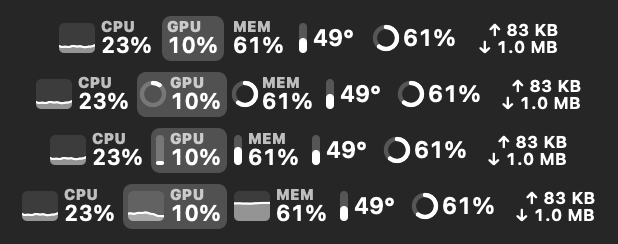
Pulse lives in the menu bar and shows your Mac's key stats. Keep everything in one item or give each module its own. Click a value to open a detailed panel.
- Four value styles: text, ring, bars or a mini graph. Set the style, label and order for each value.
- History for 2 minutes, an hour, a day, a week and 30 days. Hover a chart to see the exact value, and export the data to CSV. Choose whether history is kept for 7, 14 or 30 days.
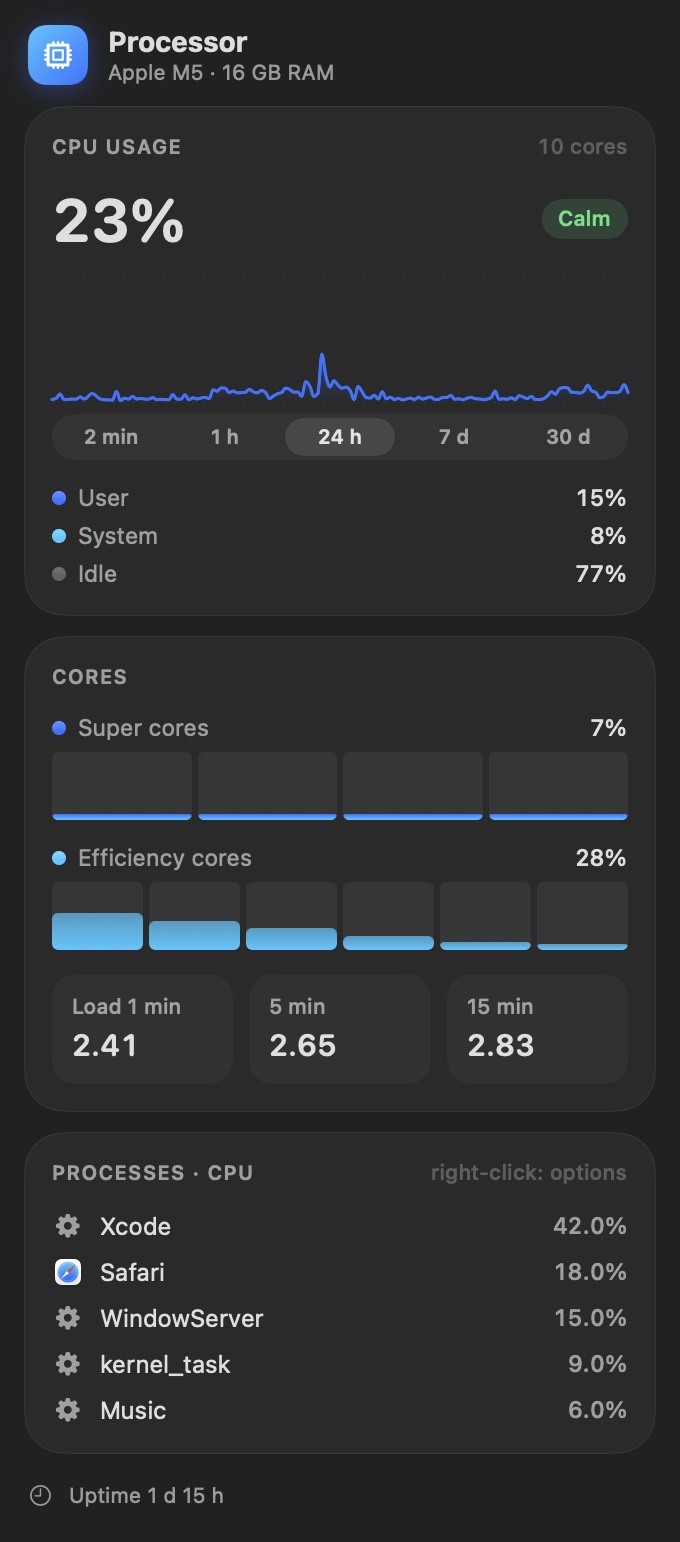
- The processes that load the CPU, memory and disk the most. Right-click to quit one that hangs. Processes with the same name, such as a browser’s helper processes, can be combined into one row.
- Notifications for sustained full load, high temperature, thermal throttling, memory pressure, low disk space and low battery.
- Critical values pulse in the menu bar and change color under heavy load.
- A desktop widget and launch at login.
- Stays out of the way: hides in full screen apps and while mirroring a display, and narrows itself next to the notch. You can also keep just the Pulse icon in the menu bar.
Panels
Every module has its own detailed panel:
- CPU: load, performance, efficiency and super cores, load average and Docker containers.
- GPU: usage, renderer and tiler load, GPU memory and the processes using the GPU.
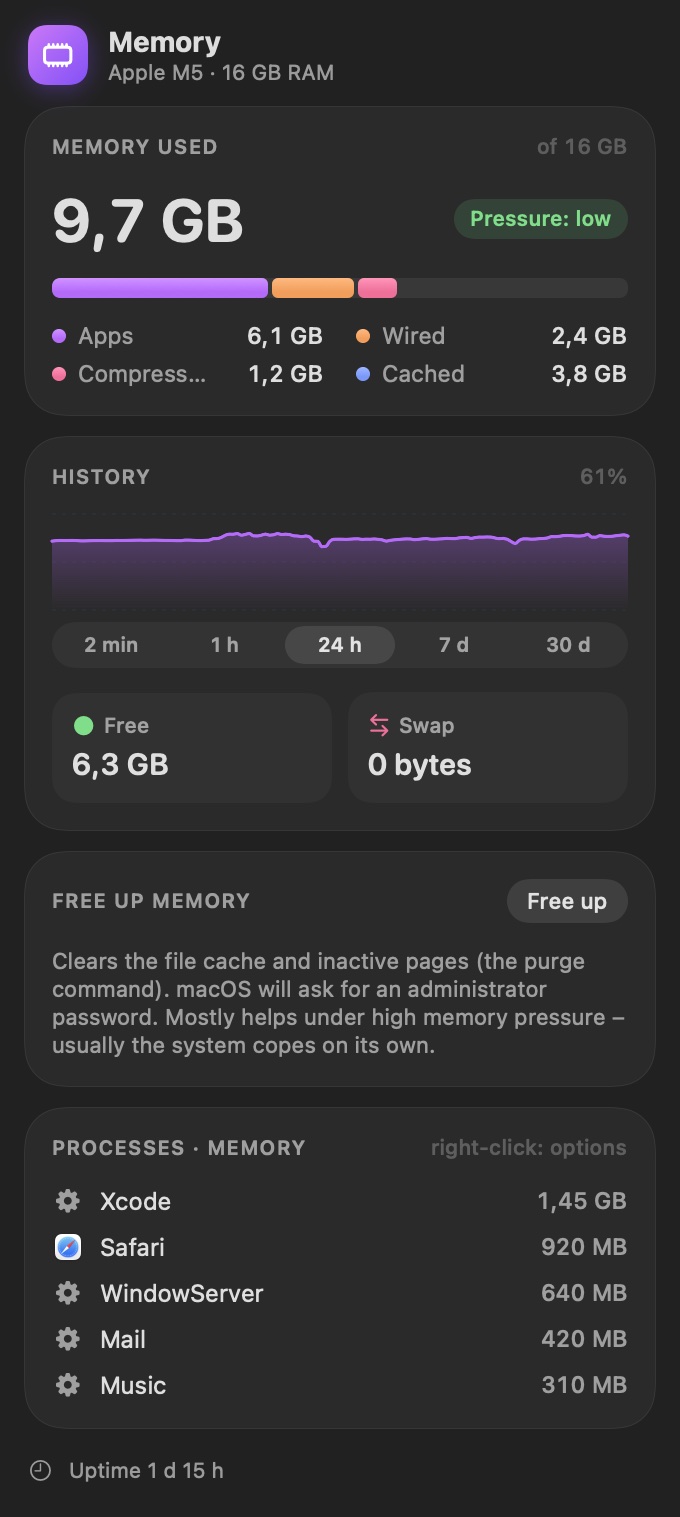
- Memory: pressure, app, wired and compressed memory, swap. Free up memory with one click.
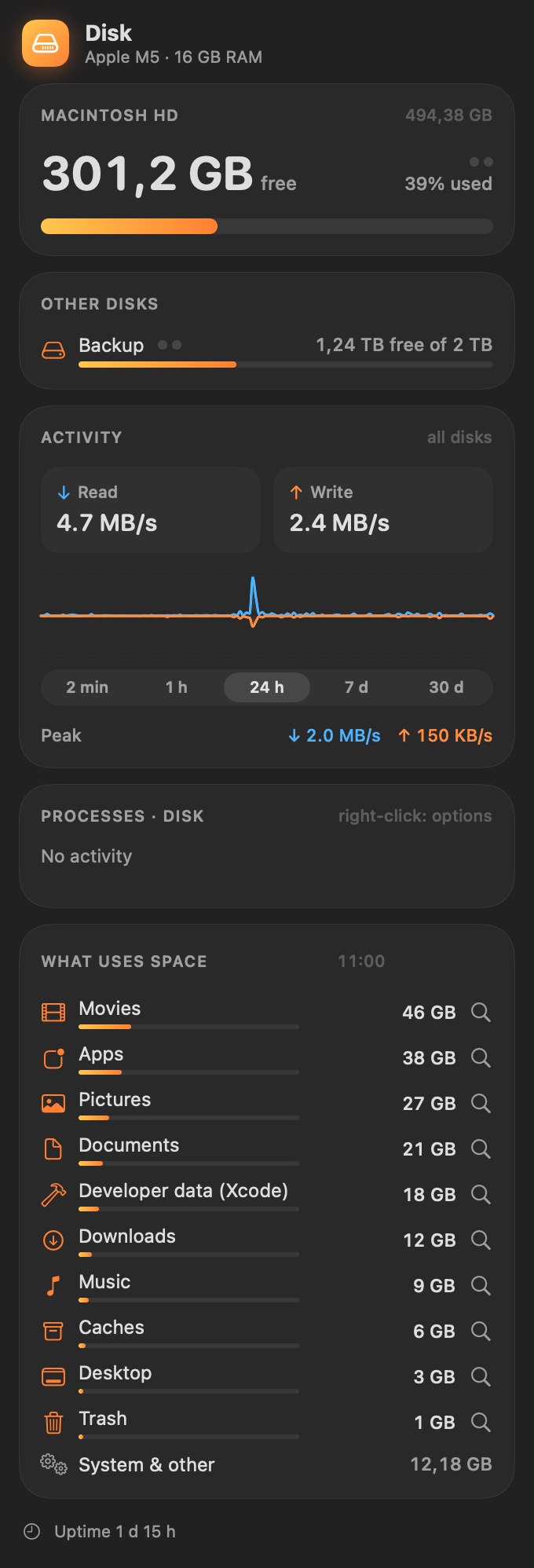
- Disk: free space as percent or GB/TB, several drives, read and write speed, activity per drive and what takes up the space.
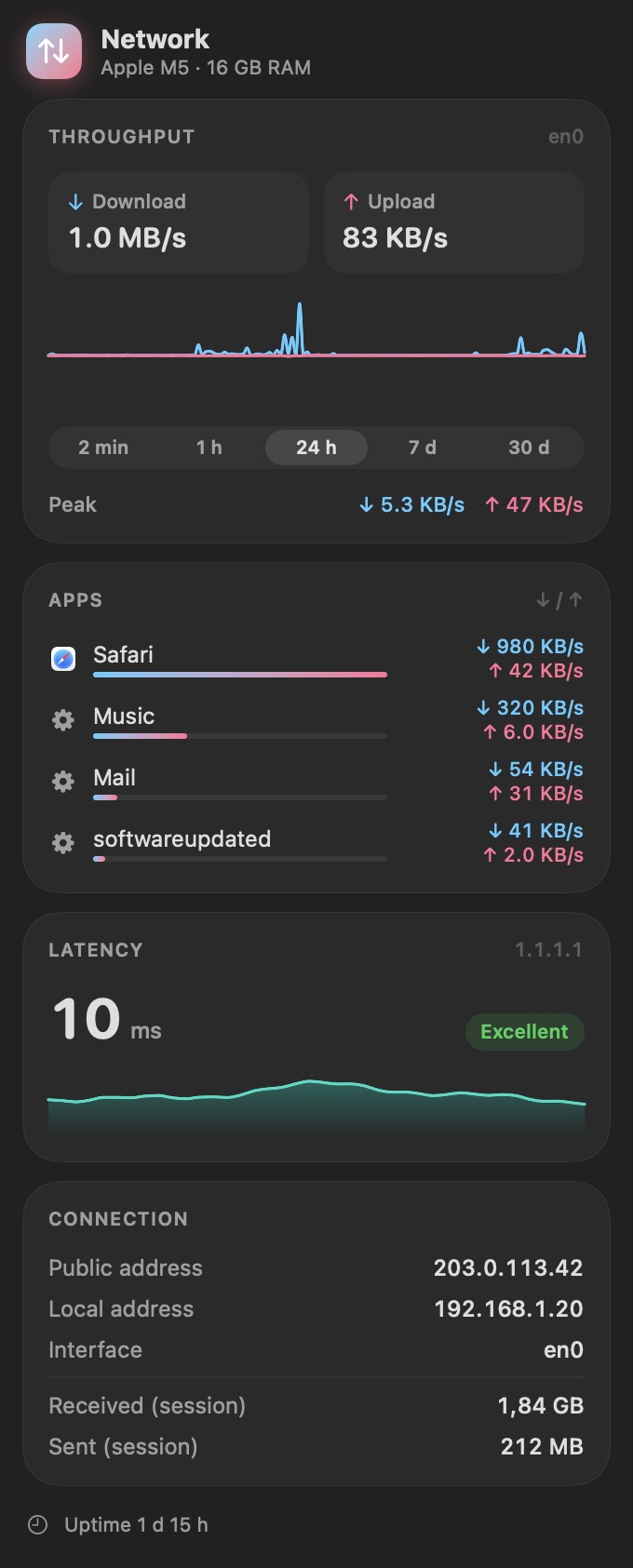
- Network: download and upload in MB/s or Mb/s, traffic per app, latency, local and public IP. A connection test shows whether a problem is in your home network (e.g. weak Wi‑Fi) or on your provider’s side.
- Sensors: CPU, GPU, SSD and battery temperatures, fans, thermal state and power draw. Click a sensor to see its history.
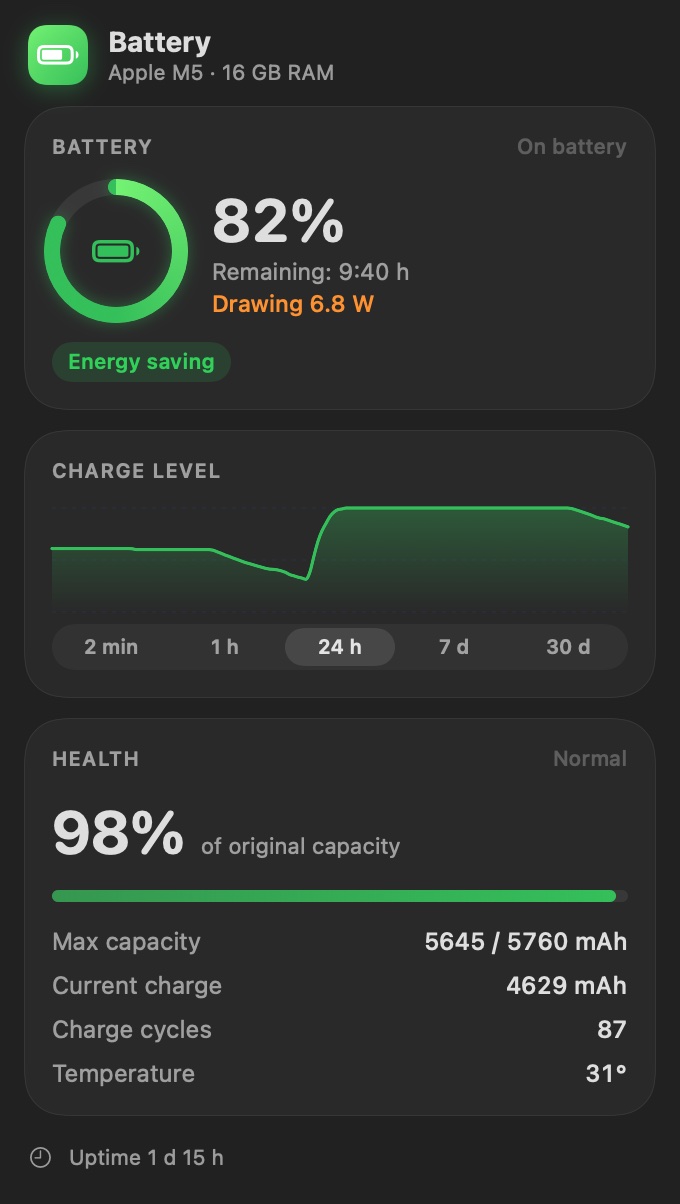
- Battery: charge, health and how it changes over time, cycle count, charging power, adapter wattage, energy use per app, how much energy went into the battery each month, a charge limit and the batteries of Bluetooth devices: AirPods, keyboards and mice.
- Other computers: load, temperatures, fans, processes and Docker containers of your other Macs running Pulse and Windows PCs running PulseWin on the local network.
Other computers on the network
Got several Macs? Pulse shows them all in one panel: load, memory, temperature, fan speed, the processes keeping them busy and running Docker containers, such as a CI runner on a Mac mini. Hear one working hard? Check it without leaving your desk. You can also install a new version of Pulse on them with one button, if that Mac allows it.
On every computer you want to see, turn on sharing (on a Mac: Settings → Other Computers). The data never leaves the local network. The only remote action is installing the official Pulse update, and only on a Mac that allows it.
The hottest or busiest Mac can also be a value in the Overview and a tile in its panel. You choose whether to show temperature, CPU, memory or fan, and from which Mac. Give each Mac its own name that the others see.
Fan control
Mac too loud or too hot? Pulse sets the fan speed from a temperature curve you draw yourself. It works on Intel Macs and on Apple Silicon Macs with a fan. The first time, macOS asks you to approve a system helper, and Pulse shows you where.
Charge limit
Is your MacBook almost always plugged in? The battery keeps its capacity longer if it isn't held at 100%. Set a limit from 50 to 95%: once it's reached, the Mac runs from the power adapter, and charging resumes 5 points lower. The limit works while Pulse is running. After you quit it, the Mac charges normally. It uses the same system helper as fan control.
Requirements
- macOS 15 Sequoia or later.
- A Mac with Apple Silicon or an Intel processor (one app for both).
- English, German and Polish.
Installation
- Click Download Pulse. The Pulse-1.14.3.dmg file downloads.
- Open it and drag Pulse into Applications.
- Launch Pulse. It appears in the menu bar, with no Dock icon. Open Settings from any panel.
Pulse is signed and notarized by Apple. It installs new versions itself, and you can check by hand in Settings.
Privacy
Pulse reads everything locally from macOS on your Mac. No accounts, ads or analytics. It only goes online to measure network latency, look up your public IP address and check for updates.
Questions
Is the Pulse source code public?
Yes, it is on GitHub.
Doesn't Pulse slow down the Mac itself?
No. With the panel closed it uses a fraction of a percent of CPU, and usually a few percent with the panel open. On battery and in Low Power Mode it can refresh less often.
Why does freeing up memory ask for a password?
It uses the system purge command, which needs administrator rights. You type the password in a macOS dialog, and Pulse never sees it.
I found a bug or have an idea.
Write to kontakt@kakaki.pl or open an issue on GitHub.
What's new
Pulse 1.14.3 · 14.11.2026
The blinking Pulse icon in the menu bar keeps its width, so other icons no longer shift.
Pulse 1.14.2 · 14.11.2026
In the Disk settings you can choose how little free space turns the menu bar value orange. The default is now below 20% instead of 30%.
Pulse 1.14.1 · 14.11.2026
The Project page link in Settings opens the Pulse page on kakaki.pl.
Pulse 1.14 · 13.11.2026
The Battery panel shows energy use per app, how much energy went into the battery this month and how its health changes over time. The Network panel has a connection test that tells a Wi‑Fi problem from a provider problem, and speeds can be shown in Mb/s. Processes with the same name can be combined into one row. You can choose how long chart history is kept and clear it. If Pulse stops responding, it saves a report in ~/Library/Logs/Pulse.
Pulse 1.13.5 · 12.11.2026
A Mac no longer shows up in its own Other Computers list.
Pulse 1.13.4 · 12.11.2026
The Other Computers tile shows the name of the computer its value comes from, and its ring changes colour when that computer runs warm or hot.
Pulse 1.13.3 · 12.11.2026
The Other Computers settings now say Computer instead of Mac.
Pulse 1.13.2 · 12.11.2026
Pulse no longer freezes after the Mac goes to sleep.